
For any iPhone devices, it is always recommended that you perform a reset of network settings any time you begin using a physical SIM card or eSIM from another carrier (any time you change SIM cards). By doing so, your phone will better recognize the network and minimize any potential issues. We highly recommend that you do this as a proactive measure to ensure faster speeds and network reliability.
Before you begin, please note that any Wi-Fi passwords previously saved will need to be re-entered, so you may wish to do this when you are experiencing problems instead, especially if you have many complex passwords to re-enter (or you don’t know what those passwords are set to).
Step #1: Reset Network Settings
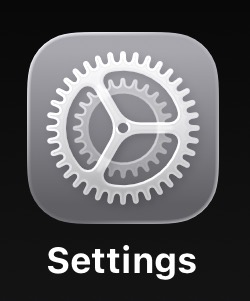
- Go to the Settings menu of your phone
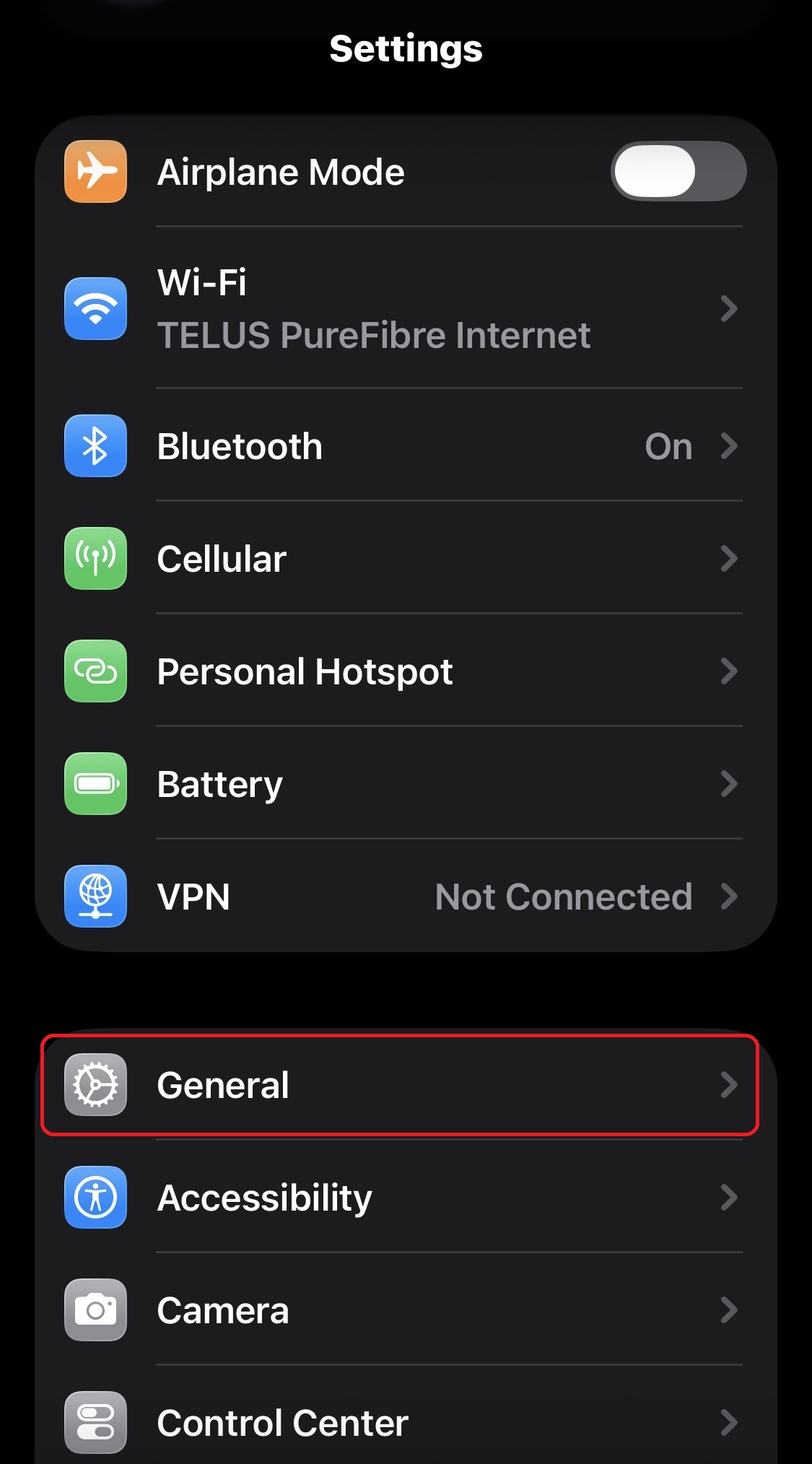
- Scroll down and select General (near the middle of the list)
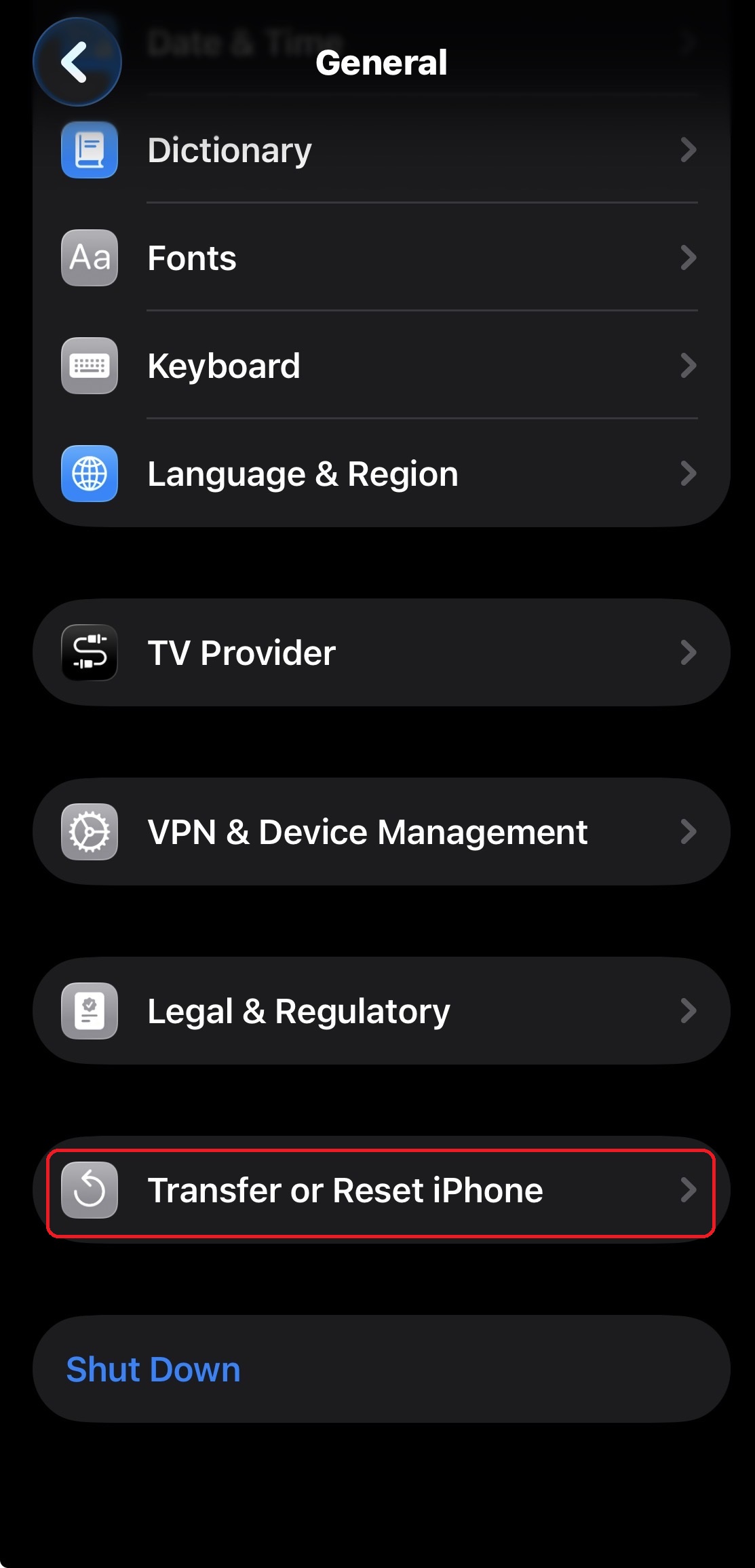
- Scroll down to the bottom to find Transfer or Reset iPhone
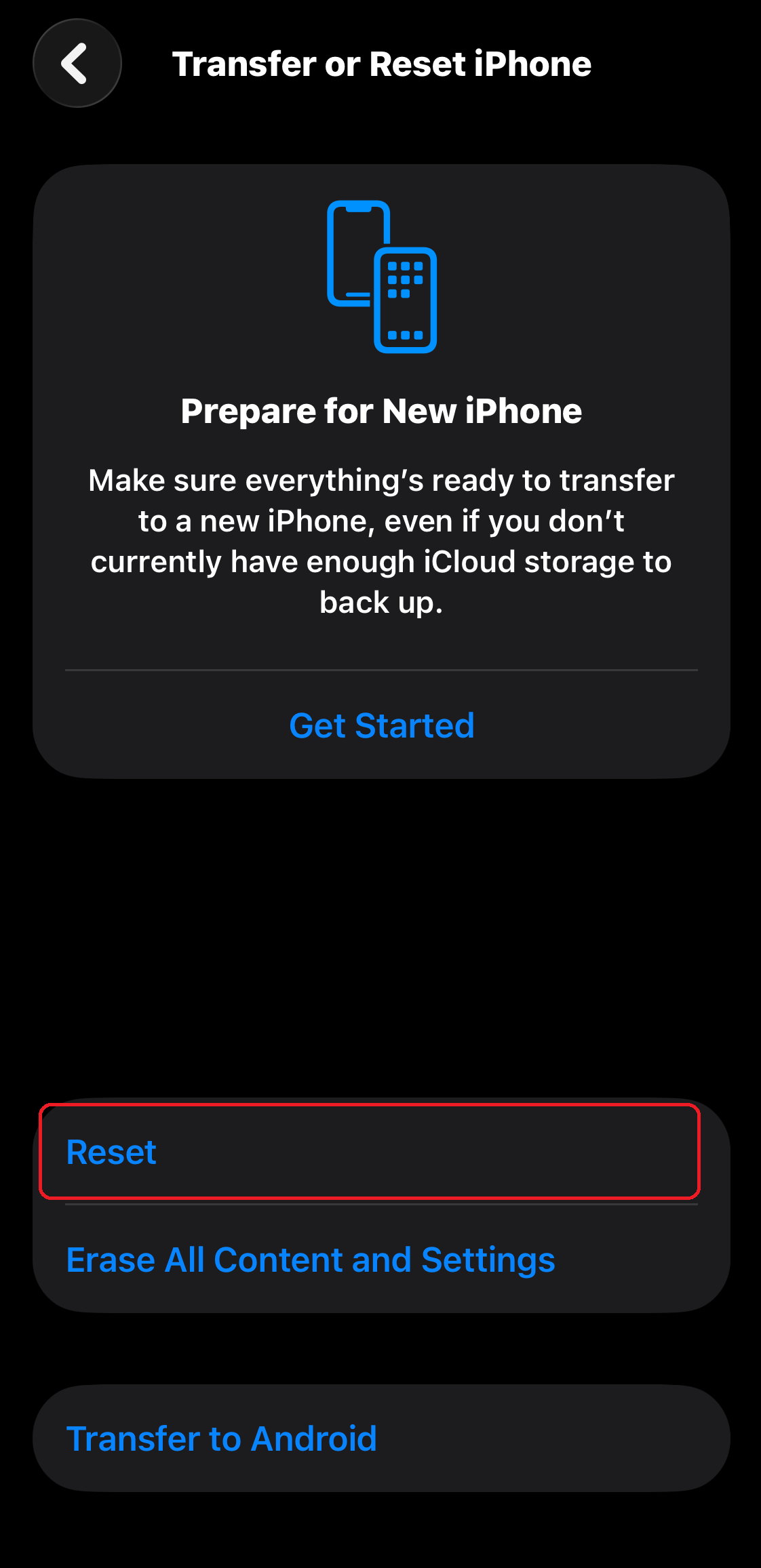
- Select Reset
- Select Reset Network Settings
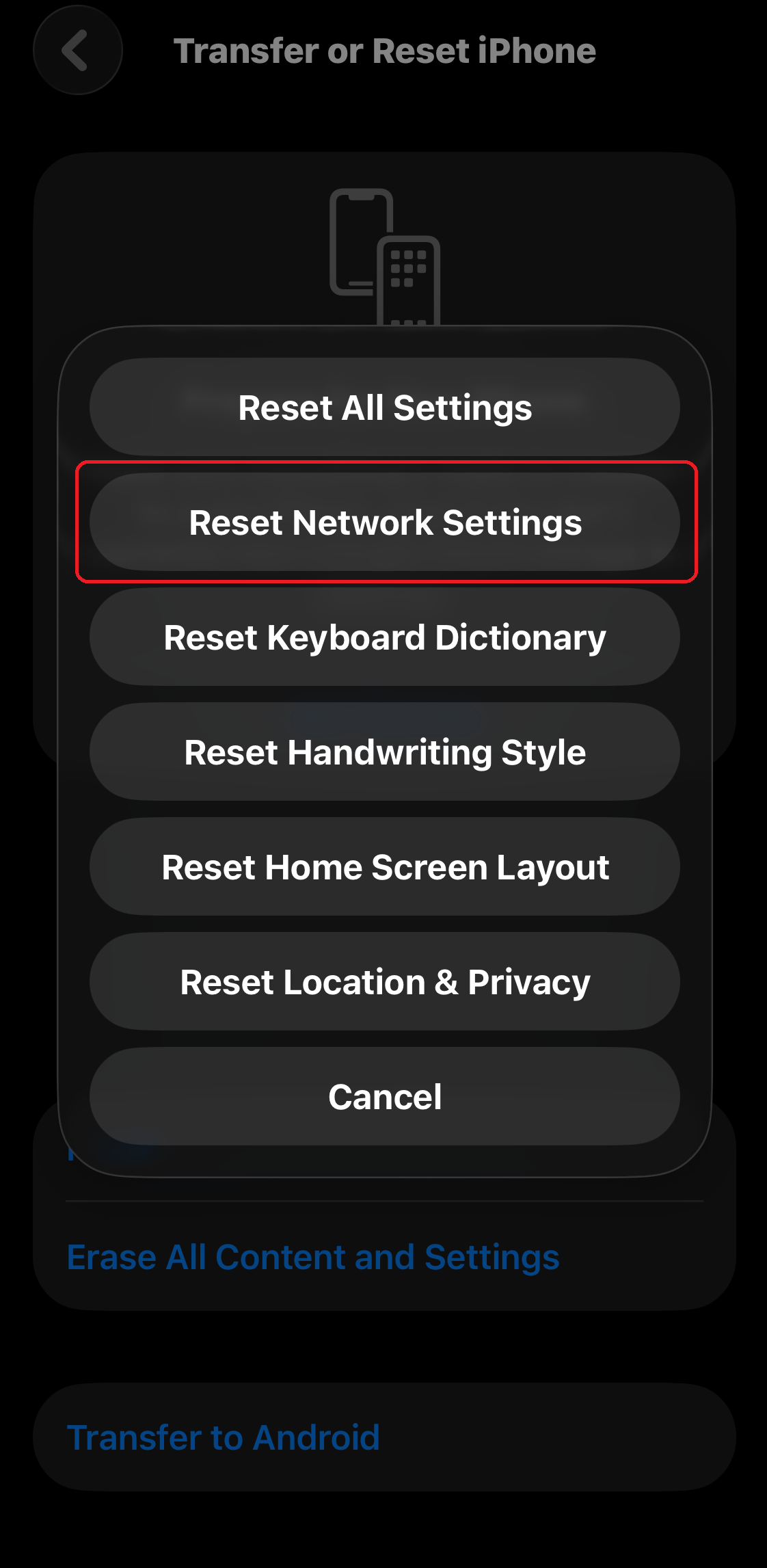
- Follow any remaining prompts for verification and the phone will then turn itself OFF and ON. You may unlock your device and use it as you normally do once the power cycle has been completed.
Step #2: Re-Connect Wi-Fi (if required)
Re-connecting to your home/work Wi-Fi is important especially if you are a heavy data user or you enjoy streaming videos on your mobile device. Otherwise, if your mobile plan has sufficient high speed data, you may choose to skip this step.
- Go to the Settings menu of your phone
- Select Wi-Fi to find nearby networks
- Select your Wi-Fi SSID (a.k.a. Wi-Fi name) to enter your password to re-connect
Need More Help?
Note(s): For troubleshooting or technical assistance, if you have purchased your device or recently activated from our store, feel free to bring in your device(s) and visit us for additional support. Otherwise, you may book a Genius Bar Appointment at any Apple store for help (or go back to your original point of purchase).
A Second Life for Old Phones
For older or broken phones that have low trade in values (or may not have any trade in value at all), some of them may be refurbished to be put into TELUS Mobility for Good programs to help people in need. These programs may include support for seniors or youth in need, government-assisted refugees, Indigenous women at risk, and more.
For “ancient” devices too old to reuse or too damaged to salvage, parts may be stripped down so that materials may be recycled where possible and any hazardous substances safely disposed.
Knowing that the old phones doing nothing, but sitting in your drawer at home may be put to good use (or at least responsibly recycled to protect the environment), make sure to find them and bring them in to our store!
Thank-you for supporting your local Canadian Small Business!
IQ Mobile Inc is a small business in Toronto and the team at our main store location has accumulated over 26 years of experience. Articles like this one have been designed to try and help better support the customers in our neighbourhood and also the online community. If you’ve found this information useful, don’t forget to click the share buttons below (or at the top) to send to your friends and family so that they may be able to learn more as well!!
